USD
USD EUR
EUR GBP
GBP CAD
CAD AUD
AUD HKD
HKD JPY
JPY KRW
KRW SGD
SGD NZD
NZD THB
THB TWD
TWD 繁體中文
繁體中文 日本語
日本語 한국어
한국어 ไทย
ไทย Français
 Español
 Deutsch
 Português
 italiano
 Nederlands
 English

Is an Android Box Better Than a Firestick? Android TV Box vs Firestick in 2026!

If you're searching for the best streaming device for your TV, you've probably come across two popular options: an Android TV Box and an Amazon Firestick.
Both can bring streaming entertainment to your television, but they are designed for different types of users.
A Firestick is compact, simple, and closely integrated with Amazon's ecosystem. An Android TV Box can offer more storage, more connectivity, broader flexibility, and a more complete entertainment experience.
So, is an Android Box better than a Firestick?
For basic streaming, a Firestick can be a great choice. But if you want more apps, more storage, live TV, international entertainment, local media, and greater control over your TV experience, a high-quality Android TV Box may be the better long-term investment.
In this guide, we'll compare Android TV Box vs Firestick in detail and explain why more households are choosing a full-featured Android TV Box for their home entertainment setup.
Android TV Box vs Firestick: What's the Difference?
The biggest difference is how each device is designed.
A Firestick is essentially a compact streaming stick. It connects directly to your TV's HDMI port and is designed primarily for convenient streaming.
An Android TV Box is a more traditional set-top box. Instead of focusing only on compactness, it generally provides more hardware and connectivity options.
Depending on the model, an Android TV Box may include:
✅More RAM
✅More internal storage
✅USB ports
✅Ethernet
✅Bluetooth
✅Wi-Fi
✅HDMI output
✅Expandable storage
✅Voice control
✅Support for a wider range of applications
This makes an Android TV Box more suitable for users who want their television to do more than simply access a few streaming services.
1. Android Box vs Firestick: Which Has Better App Flexibility?
One of the biggest reasons consumers choose an Android TV Box is application flexibility.
Fire TV has a mature app ecosystem and supports many popular streaming services. For users who mainly watch mainstream platforms, this can be perfectly adequate.
However, many people today use their TV for much more than Netflix-style streaming.
They may want access to:
✅Live TV applications
✅International entertainment
✅Sports applications
✅Media players
✅Local video files
✅Cloud services
✅Web browsers
✅Music applications
✅Games
✅Smart-home applications
Android-based TV devices can provide greater flexibility for installing compatible applications, depending on the device and software environment.
This is particularly useful for international households.
For example, one family may want English content, while another family member prefers Chinese, Japanese, Korean, Spanish, or other international programming.
Instead of being locked into one entertainment ecosystem, an Android TV Box can provide a more flexible platform.
Winner: Android TV Box
If application flexibility is important to you, Android has a clear advantage.
2. More Storage Means More Freedom
Storage is one of the most overlooked differences between a streaming stick and a TV box.
A compact streaming stick is designed to remain small, so storage is typically limited.
That may not matter if you only install a handful of applications.
But over time, applications, cached files, updates, games, and media can consume available storage.
A TV Box with larger internal storage gives you much more breathing room.
For example, a premium Android TV Box can provide 64GB of internal storage, giving you significantly more room for applications and personal media than many entry-level streaming sticks.
This matters especially if you:
✅Install many apps
✅Use multiple streaming services
✅Download applications
✅Store local media
✅Use games
✅Connect external storage
More storage isn't just about numbers.
It means you don't have to constantly uninstall applications to make room for something new.
Winner: Android TV Box
3. Connectivity: Android Box Offers More Possibilities
A Firestick's small size is one of its biggest advantages.
But that compact design also limits physical connectivity.
A full-size Android TV Box can provide more ports for users who want a more advanced setup.
Depending on the model, you may find:
USB + HDMI + Ethernet + Bluetooth + Wi-Fi
This opens up many possibilities.
You could connect:
✅A USB storage device
✅Keyboard
✅Mouse
✅Game controller
✅Ethernet cable
✅External accessories
✅Other compatible peripherals
For people who want to build a more complete home entertainment system, these options can make a significant difference.
Firestick:
Simple + compact + portable
Android Box:
Flexible + expandable + connected
If you're buying a TV device for long-term home use rather than travel, connectivity becomes much more important.
4. Is an Android Box Better for Live TV?
This is one of the biggest reasons many users look beyond a traditional streaming stick.
Modern television is no longer just about on-demand movies.
Many households want a combination of:
✅Live TV
✅Movies
✅TV series
✅News
✅Sports
✅International channels
✅Catch-up content
✅On-demand entertainment
An Android TV Box can be particularly attractive because it gives users more flexibility when installing and organizing compatible applications.
For international users, this can be especially valuable.
Instead of switching between several devices, you can use one TV Box as the central entertainment hub for your television.
Of course, users should always use legitimate applications and services and ensure that the content they access is properly licensed in their region.
5. Android Box vs Firestick for International Entertainment
This is where the difference becomes even more noticeable.
The modern TV audience is global.
A household in the United States or Canada may watch:
✅Chinese dramas
✅Hong Kong programs
✅Taiwanese entertainment
✅Japanese shows
✅Korean content
✅English movies
✅International sports
✅Local news
A device designed around a single ecosystem may not always provide the flexibility international families want.
A capable Android TV Box can provide a more open platform for compatible regional applications and services.
For multilingual families, this can turn the TV into a genuinely global entertainment center rather than simply another streaming screen.
6. Is Android Box Better for 4K Streaming?
Both modern Fire TV devices and quality Android TV Boxes can support high-resolution video.
But don't choose a device based only on the words "4K" printed on the product page.
Real-world picture quality depends on:
✅TV resolution
✅Video source
✅Streaming service
✅Internet speed
✅Wi-Fi quality
✅Codec support
✅HDR support
✅HDMI capability
✅Application compatibility
A good Android TV Box can provide excellent 4K and HDR playback, but the overall hardware and software package matters.
That's why it's important to look at the complete specification rather than one headline feature.
7. Performance: RAM and Storage Matter
When comparing Android TV Box vs Firestick, don't focus only on the processor.
The overall user experience depends on several components.
RAM
More RAM can help when running larger applications and switching between different tasks.
Storage
More storage gives you more space for apps and files.
Processor
A capable processor helps applications open quickly and improves system responsiveness.
Wi-Fi
A fast and stable Wi-Fi connection is critical for high-quality streaming.
Software Optimization
Even powerful hardware can perform poorly if the software isn't optimized.
That's why a properly designed Android TV Box can offer a smoother experience than a basic streaming stick when you're running multiple applications or using the device for more demanding tasks.
8. Firestick Is Great for Simplicity — Android Box Is Great for Flexibility
This is perhaps the fairest way to describe the difference.
Choose a Firestick if you want:
✅A small device
✅Simple installation
✅Easy portability
✅Amazon ecosystem integration
✅Basic streaming
✅Minimal setup
Choose an Android TV Box if you want:
✅More storage
✅More applications
✅More connectivity
✅Live TV
✅International entertainment
✅Local media
✅More customization
✅Gaming
✅A central home entertainment device
Neither device is automatically better for everyone.
The better choice depends on how you actually use your TV.
Why Choose UBOX 12 Pro as Your Android TV Box?
If you've decided that an Android TV Box is a better fit for your household, the next question is:
Which Android TV Box should you buy?
This is where hardware specifications, software stability, content experience, usability, and after-sales support become important.
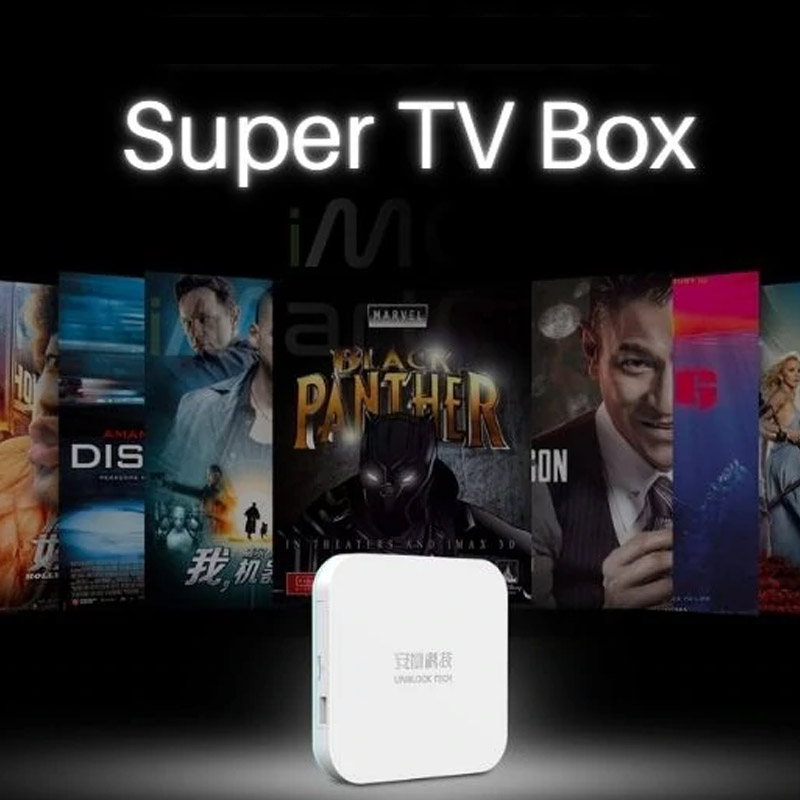
The UBOX 12 Pro is designed for users who want more than a basic streaming stick.
Instead of focusing only on compact size, it is built as a complete home entertainment solution.
Key advantages include:
Powerful hardware
A capable processor, ample RAM, and generous storage provide a responsive platform for everyday entertainment.
High-resolution entertainment
Support for high-resolution video gives compatible content a sharper and more immersive viewing experience.
Wi-Fi connectivity
Modern wireless connectivity helps provide smoother streaming when paired with a reliable home network.
Voice control
Voice functionality makes it easier to search for content and navigate the TV experience.
Large application ecosystem
The Android-based environment provides flexibility for installing compatible applications according to your needs.
Live TV and on-demand entertainment
UBOX is designed around the idea that modern television should combine live channels, movies, TV shows and other entertainment in one place.
Android Box vs Firestick: Side-by-Side Comparison
| Feature | Android TV Box | Firestick |
|---|---|---|
| Portability | ⭐⭐⭐ | ⭐⭐⭐⭐⭐ |
| App flexibility | ⭐⭐⭐⭐⭐ | ⭐⭐⭐⭐ |
| Storage options | ⭐⭐⭐⭐⭐ | ⭐⭐⭐ |
| USB connectivity | ⭐⭐⭐⭐⭐ | ⭐⭐ |
| Ethernet | ⭐⭐⭐⭐⭐ | ⭐⭐⭐ |
| Easy setup | ⭐⭐⭐⭐ | ⭐⭐⭐⭐⭐ |
| Hardware choices | ⭐⭐⭐⭐⭐ | ⭐⭐⭐ |
| Mainstream streaming | ⭐⭐⭐⭐⭐ | ⭐⭐⭐⭐⭐ |
| Local media | ⭐⭐⭐⭐⭐ | ⭐⭐⭐ |
| Gaming flexibility | ⭐⭐⭐⭐ | ⭐⭐⭐ |
| Amazon ecosystem | ⭐⭐⭐ | ⭐⭐⭐⭐⭐ |
| Customization | ⭐⭐⭐⭐⭐ | ⭐⭐⭐ |
| Travel | ⭐⭐⭐ | ⭐⭐⭐⭐⭐ |
| Advanced home setup | ⭐⭐⭐⭐⭐ | ⭐⭐⭐ |
Not all Android TV Boxes are created equal.
This is extremely important.
The market includes everything from premium, professionally supported products to extremely cheap generic boxes.
Before buying, check these factors.
1. RAM and Storage
Look for enough RAM and storage for your intended usage.
If you install many applications, larger storage can make a major difference.
2. Android Version
A newer Android version generally provides access to newer system features and better compatibility, although software support varies by manufacturer.
3. Processor
Don't choose a box solely because it advertises "8K" or "6K."
Look at the actual processor and overall system performance.
4. Wi-Fi
Stable Wi-Fi is essential for streaming.
Wi-Fi 6 can be especially useful in modern households with many connected devices.
5. HDMI and HDR
If you own a 4K television, make sure the TV Box supports the video formats you actually need.
6. Software Updates
A device is more valuable when the manufacturer provides reliable firmware and software support.
7. Customer Service
A cheap TV Box isn't a bargain if you can't get help when something goes wrong.
Android TV Box vs Firestick: Which One Should You Buy in 2026?
The answer comes down to your priorities.
Buy a Firestick if:
You want the smallest possible streaming device and mainly use mainstream streaming services.
Buy an Android TV Box if:
You want more flexibility, storage, connectivity, applications and entertainment options.
Choose a premium Android TV Box such as UBOX 12 Pro if:
You want to combine streaming, live TV, international entertainment, on-demand content, applications and smart-TV functionality into one central entertainment system.
Is an Android Box Better Than a Firestick?
So, after comparing the two platforms, is an Android Box better than a Firestick?
For simple streaming, not necessarily.
The Firestick remains an excellent choice for users who prioritize simplicity, portability and Amazon integration.
But if your goal is to build a more flexible and complete home entertainment system, an Android TV Box can offer considerably more possibilities.
You get more room for applications.
More storage.
More connectivity.
More customization.
More ways to use your television.
And for international families, the ability to bring different types of entertainment together on one screen can be a major advantage.
That's why the decision shouldn't simply be:
"Android Box or Firestick?"
The better question is:
"What do I want my TV to do?"
If you only need a simple streaming stick, Firestick may be enough.
If you want your television to become a complete entertainment hub, an Android TV Box such as UBOX 12 Pro may be the better choice.
Ready to Upgrade Your TV?
If you're looking for a more flexible alternative to a traditional streaming stick, explore the UBOX 12 Pro and discover a broader way to enjoy live TV, movies, international entertainment and more from one device.
Upgrade your TV. Expand your entertainment. Choose the device that gives you more freedom.
FAQs
Is an Android TV box better than Firestick?
Yes, if you want more flexibility, ports, storage, and a full TV-box setup. Firestick is better if you want a simple, compact, Amazon-friendly streaming stick.
Is Firestick easier to use than an Android TV box?
Usually yes. Firestick is designed for quick setup and simple streaming. Android TV boxes may offer more options, but those options can require a little more setup.
Can an Android TV box replace Firestick?
For many users, yes. An Android TV box can handle streaming apps and more. But if you rely heavily on Alexa or Amazon's interface, you may still prefer Firestick.
Which device is better for 4K streaming?
Both can be good for 4K if the model supports it and your internet is strong enough. Ethernet support can give Android TV boxes an advantage in some homes.
Which is better for travel?
Firestick is usually better for travel because it is smaller and plugs directly into HDMI. An Android TV box is better for a fixed home setup.
Which is better for Ubox buyers?
If you are considering Unblocktech TV Box, you are probably looking for the Android TV box side of the comparison: more features, more storage options, and a stronger living-room entertainment setup.